Get file content from Github repository
Short note on how to use Github API to get file content
Imagine that you need to get some file from your remote Github repository. It can be a configuration file, test data or anything else. How can we do it? It turns out that it is not hard to, if you know the API and some programming language.
To use a Github API we need to provide two main things: username and token. Username - is your Github handle. Personal access token can be generated at Settings / Developer settings / Personal access tokens
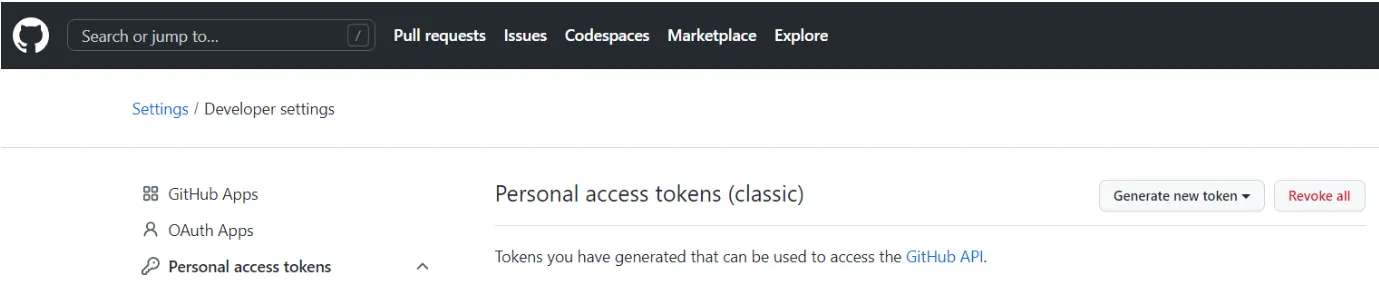
To get the file content from Github repository you need to check the Github API for Repository / Content.
As an example, let’s request JSON file from some repo:
import requestsimport base64import json
BASE_GITHUB_URL = (    "https://api.github.com/repos/USERNAME/REPOSITORY/contents/PATH_TO_FILE")

def main():    GH_USER = "YOUR_USER"    GH_TOKEN = "YOUR_TOKEN"    content_response = requests.get(        url=BASE_GITHUB_URL,        headers={"Accept": "application/vnd.github.v4+raw"},        auth=(GH_USER, GH_TOKEN),    )    assert (        content_response.status_code == 200    ), "Unable to get file content via Github API. Check URL or Token"    binary_content = base64.b64decode(content_response.json()["content"])    resulting_json = json.loads(binary_content.decode("utf-8"))    print(resulting_json)    print(f"The name is: {resulting_json['name']}")    print(f"The author is: {resulting_json['author']}")

if __name__ == "__main__": main()Get repository contentendpoint returns a lot of different fields. But we care only aboutcontent.- “Content” is encoded with base64 - so we decode it before the usage.
base64.b64decode()method returns result in the binary format. Before using it as JSON string - we need to decode it with utf-8 format:binary_content.decode("utf-8")