Magic of Spring Boot testing: Data-driven unit tests
In this blog post I will explain how to use a data-driven approach for unit testing.
For my series of blog posts about Spring Boot testing, I’ve prepared a sample application.
One of the app functionality is formatting input values in the form of two sings after decimal points - XX.YY.
It has a UI part as well as a REST API part. UI part takes an input:
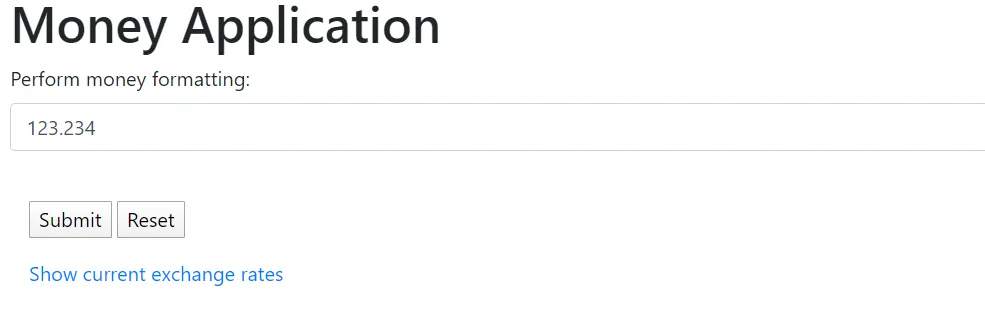
and returns a result:

For API part the same functionality is implemented for an “/format” endpoint:

The result object is:

The feature code for format operation is in FormatterService class.
It has one method “formatMoney()” which takes a String as an input and returns the value as a formatted String.
public String formatMoney(String inputMoney) {        log.info("Received value for formatting: {}", inputMoney);        if (inputMoney == null || inputMoney.isEmpty()) {            return inputMoney;        }        inputMoney = inputMoney.replace(',', '.');        DecimalFormatSymbols symbols = DecimalFormatSymbols.getInstance();        symbols.setGroupingSeparator(' ');        symbols.setDecimalSeparator('.');
        DecimalFormat formatter = new DecimalFormat("###,##0.00", symbols);        String formatted = "";        try {            formatted = formatter.format(Double.parseDouble(inputMoney));        } catch (NumberFormatException ex) {            log.error(ex.getMessage());        }        log.info("Formatted result: {}", formatted);        return formatted;    }
In order to cover the test on the unit test level, we can write a lot of tests even for a single method, like:
  public class FormatterTest {    private FormatterService formatterService;
    @Before    public void beforeTest() {        formatterService = new FormatterService();    }
    @Test    public void shouldFormatValue(){        String input = "123.234";        String result = "123.23";        assertThat(formatterService.formatMoney(input)).isEqualTo(result);    }
    @Test    public void shouldFormatNegativeValue(){        String input = "-123.236";        String result = "-123.24";        assertThat(formatterService.formatMoney(input)).isEqualTo(result);    }
    // and so on ...}
But in all cases, it will be testing the behavior of the method from an input data point of view.
Maybe it is a better way how to deal with data-driven unit tests?
JUNit offers an ability to test method with multiple test data using Parameterized runner.
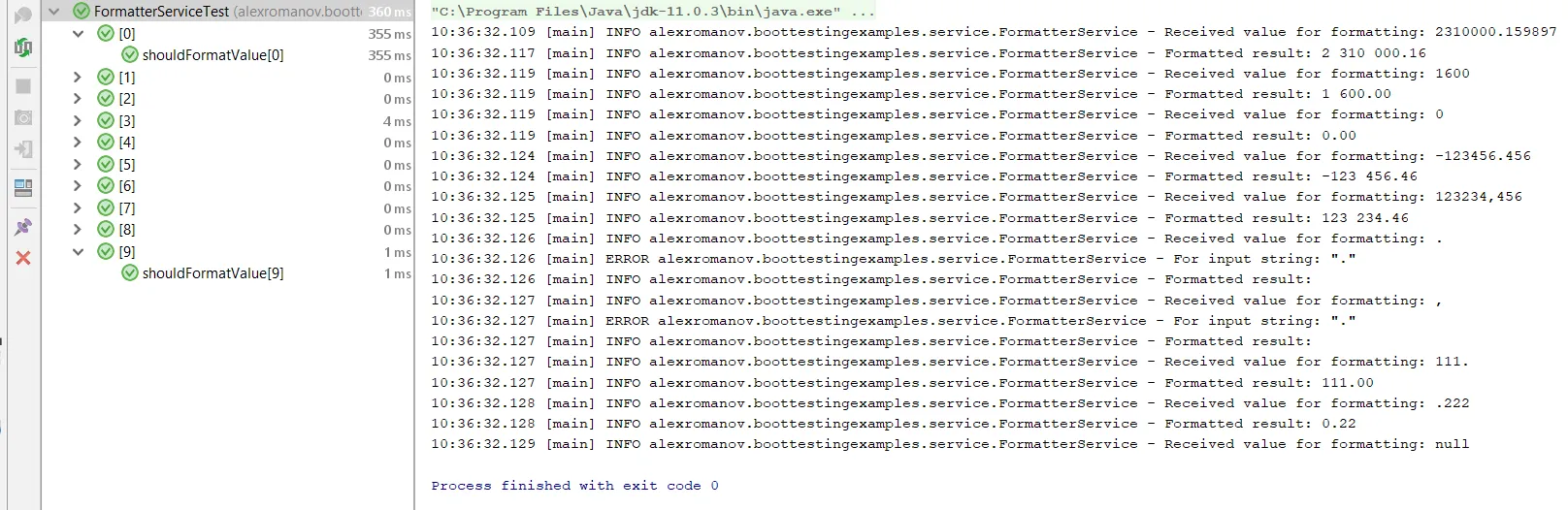
The steps for adding a parameterized test for formatter are the following:
-
Declare test data
@Parameterized.Parameterspublic static Collection<String[]> data() {return Arrays.asList(new String[][]{{"2310000.159897", "2 310 000.16"},{"1600", "1 600.00"},{"0", "0.00"},{"-123456.456", "-123 456.46"},{"123234,456", "123 234.46"},{".", ""},{",", ""},{"111.", "111.00"},{".222", "0.22"},{null, null}});} -
Declare input and output parameters
@Parameterized.Parameterpublic String input;@Parameterized.Parameter(1)public String expected; -
Initialize service and implement the test
private FormatterService formatterService;@Beforepublic void beforeTest() {formatterService = new FormatterService();}@Testpublic void shouldConvertValue() {assertThat(expected).as("Invalid result of money conversion").isEqualTo(formatterService.formatMoney(input));} -
Mark test class to be executed with Parameterized.class from JUnit
@RunWith(Parameterized.class)public class FormatterServiceTest {}
Full source code of the test available here
Parameterized testing provides the following benefits:
-
Increased focus on test data and corner cases
-
Better code reusability and less code duplication
-
Can be applicable at any test level: unit, component, integration, end-to-end
The data-driven approach in unit testing can potentially decrease the number of copy-paste code for unit tests and focus developer more on the test data and corner cases.
But as with any other testing approaches - it is not a silver bullet and should be used appropriately.
Service code, as well as the test code, can be found in the Boot-testing-examples repository.